 FreeWind Software FreeWind Software
Most TV apps start small. One screen, one list of content, maybe a "recently used" row. At that size it feels natural to let the part of the app that shows content also remember what the user did. Then the app grows, and that shortcut quietly turns into a problem.
This post is about one such shortcut in a TV app written in a component-based, single-threaded scripting environment, and how we untangled it before a bigger UI rework.
The app had a long-lived content manager. Its real job was content flow: what goes on screen, in what order, and when it changes. Over time it picked up a second job. It also loaded and saved a small piece of per-user data, a "recently used" list, by calling the backend persistence layer directly.
On its own, that worked. The trouble showed up as soon as we looked ahead:
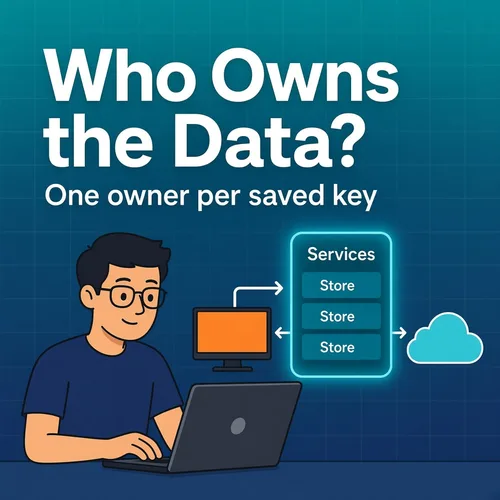
The question we kept asking was simple: who owns this data? The honest answer was "nobody, and everybody".
We split the app into two kinds of building blocks.
Managers keep feature and flow logic. The content manager goes back to doing only content.
Services keep shared, app-wide state and persistence. They live in a small service container that is created once, at the root of the app, and handed down to the components that need it. The root is the one place where things are wired together. Everything below it simply receives what it needs. This is plain dependency injection, with the container acting as a lightweight service locator.
Inside the container sit focused data stores, one per saved data key. Each store is the single owner of its key. It:
Consumers like the content manager no longer touch the backend at all. They read the store's state and call a small API on it. When the data changes, the store sends a notification and the consumers react, instead of polling or saving on their own.
The result is boring in the best way. If you want to know how "recently used" is saved, there is exactly one place to look.
All of this was done as a refactor of existing code, before the larger UI work starts. Users see no difference. Migration from local storage and offline behavior work exactly as before.
Doing it this way has a practical benefit: later feature branches can build on the new structure and be merged step by step, instead of one huge change that touches everything at once.
If a component in your app "also saves a little bit of data", ask who really owns that data. Giving each piece a single owner, wiring things up once at the root, and letting the rest of the app react to changes removed a lot of hidden coupling for us, and it took less code than the shortcut it replaced.