 FreeWind Software FreeWind Software
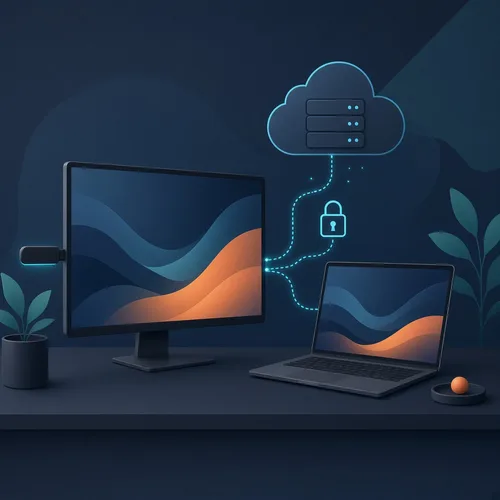
Testing a Roku app on real hardware usually means sitting on the couch with a remote in your hand. The simulator-style checks help, but they miss the crashes that only happen on a real device. We wanted our test runs to happen from a machine in the cloud, against the actual Roku on our desk, without exposing our home network to the outside world.
Here is how we set it up, and what we learned along the way.
There are three pieces:
The key idea is simple. The Roku stays local, and the cloud machine never sees the home network directly. Everything goes through one controlled path.
We joined the cloud machine to our Tailscale network as its own tagged device. Then we wrote access rules that let it reach only the Mac, and only on a handful of ports. It can't see any other device in the house, and it doesn't use an exit node, so no internet traffic is routed through our connection.
If the test machine were ever compromised, the damage would be limited to those few doors. We also kept every secret, such as the Roku developer password and access keys, out of the code, out of commits and out of chat logs. They live in a dedicated secret store and nowhere else.
Tailscale gets the cloud machine to the Mac, but not to the Roku itself, since the Roku isn't on the tailnet and the cloud machine can't reach home-network addresses. So the Mac acts as a small relay. A few socat TCP forwards pass traffic to the three services the Roku exposes in developer mode:
Before each session, a one-tap Shortcut on the Mac restarts the socat relays and checks that the Roku answers. That way a session never starts against a half-awake setup.
The Roku checks who you think it is. Our relayed ECP requests were rejected at first. The Roku only accepted HTTP requests whose Host header named its own address, and requests passing through the relay carried the Mac's address instead. The same issue made our health check report the Roku as down while it was perfectly fine. Once we set the Host header to the Roku's own address explicitly, both problems went away. The lesson: when a health check and reality disagree, suspect the check first.
One listener at a time. The debug console accepts a single connection. If an earlier session left it open, the next one silently gets nothing. We now make sure every session closes it properly, and we treat "no logs" as a setup question before assuming the app is quiet.
Every build goes through the same routine:
The rule is strict: merge only if the run is clean. At the first oddity we stop and investigate instead of pushing through.
Yes. Early on, the lab caught a crash on launch that our usual checks had missed. We found it on the real Roku, in the debug console, before a single viewer ever saw it. That one catch justified the whole setup.
A remote test lab doesn't need to be big or expensive. It needs to be narrow, predictable and safe, and then it quietly does its job every time you ship.